VAST SANDBOX EXPLORATION AND MULTIPLAYER PLAY
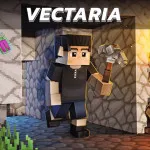
Vectaria.io is a 3D sandbox experience where players explore a voxel world full of terrain, resources, and hazards. The central goal revolves around gathering materials, crafting tools, constructing bases, and surviving alongside or against other players online. Varied game modes let you toggle PvP, build freely, or face survival challenges with mobs. Jump into the voxel frontier now and shape your own adventure!
CRAFTING, BUILDING, AND WORLD INTERACTION
Vectaria.io places you in a persistent shared world with forests, caves, and open spaces to explore with friends or rivals. Blocks mined from trees, stone, and ores become building materials and tools that enhance your capacity for shelter and defense against environmental threats. Resource planning and smart placement of walls or shelters help during night raids or mob attacks. Rising skill appears as you learn crafting recipes, manage supplies, and navigate dynamic terrain under pressure. The game offers Peaceful, Survival, and Creative modes, letting players explore, build, or face tougher challenges. Smart strategy plays a key role when designing defenses, especially during night cycles or mob attacks. Controlled focus encourages deeper exploration of caves and biomes, while clever use of materials turns simple shelters into fortified homes.
Three Ways to Play Your Own Adventure
- Peaceful Mode - Explore the world without hostile enemies, gather resources freely, and focus on building your base in a safe and relaxed environment
- Survival Mode - Face dangerous creatures, manage your health and hunger, craft tools and weapons, and fight to stay alive as long as possible
- Creative Mode - Enjoy unlimited resources, fly around the map, and build massive structures without restrictions or survival pressure.
Core Controls for Exploration
- WASD / Arrow Keys - Control your movement and navigate around the map.
- Left Mouse Button - Break blocks or attack targets.
- Right Mouse Button - Place selected blocks into the world.
- Spacebar - Jump over obstacles or reach higher areas.
- X - Access your inventory items.
- G - Return to the main home interface.
- M - Check available spawn locations.
- O - Open the in-game shop menu.
- I - View the help and guide section.
- Enter - Type and send messages in chat.
ADDITIONAL CREATIVE SURVIVAL GAMES